Bookmark
Save the pages you use every time, like shipping info or size charts, and drop them into other product detail pages as they are.
Still remaking your shipping info or size chart every single time? Make it once, save it, and you're done.
- What's a Bookmark? A way to save a whole page you use often.
- How do I use it? One click in another product detail page and it drops in exactly as saved.
What's a Bookmark?
- Think of it as a drawer that stores one whole page — the photos and text inside stay exactly where you placed them.
- Once saved, it shows up the same in other product detail pages within the same Workspace too.
- You get the most out of it on pages whose content stays the same even when the product changes.
To save a page
![Pick a page on the canvas, then save it with [More] → [Bookmark page]](/en/assets/screen-editor-bookmark-save-en.gif)
- Click the page you want to save on the edit screen
- Click [⋯] above the page and choose [Bookmark page]
- The
Add this page to bookmarks?dialog opens.
- The
- Type a name and click [Add]
- Up to 20 characters. Pick a name you'll recognize later.
info
You can save up to 20. A name that's already taken can't be used again.
To use a saved page
![Click [Bookmark] in the left menu to see the pages you saved](/en/assets/screen-editor-where-bookmark-en.jpg)
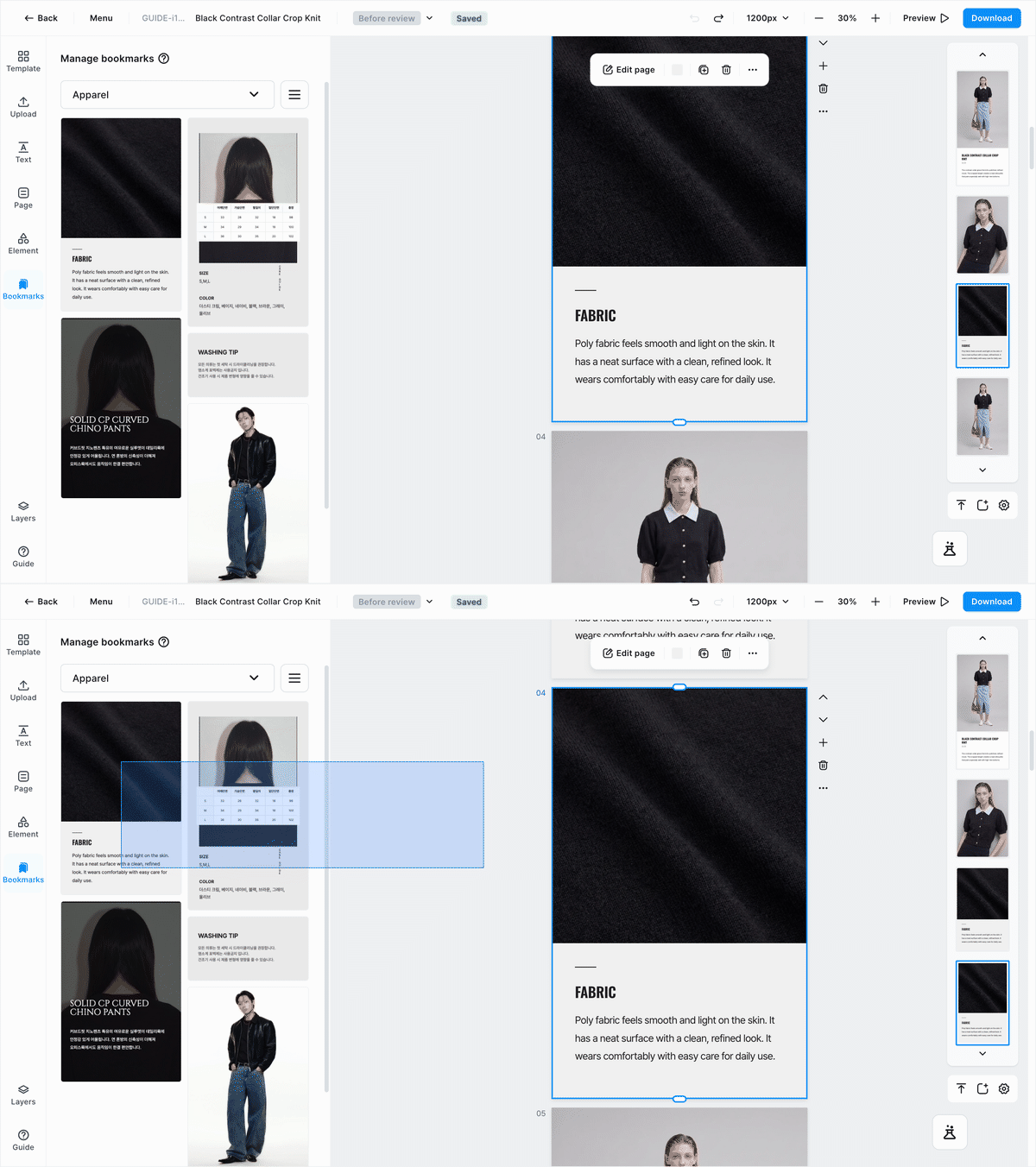
Click [Bookmark] in the left menu to see the pages you've saved. Click one and it drops straight into the product detail page you're working on.
- Filter with
Category—Apparel·Jewelry. - [Thumbnail view] shows them as pictures; [List view] lines up just the names.
- Use [Preview] to check what a page looks like before adding it.
- To rename one, use [Edit bookmark]; to remove one, use [Delete bookmark].
warning
A deleted Bookmark can't be brought back. When you see Deleted bookmarks cannot be restored., take a second to think it over.
Pages worth saving
- Shipping · exchange · return info ㅣ the page that goes into every product the same way
- Brand introduction ㅣ the page with your logo and brand story
- Size charts ㅣ the tables you repeat for each garment type
- Washing · care instructions ㅣ care info for each fabric