Text
Rewrite the copy AI wrote for you and change the font. Ready-made text styles and vertical text are available too.
Does the copy AI wrote feel a little off? Rewrite it your way and switch the font to match your brand.
- To add new text? Click [Text] in the left menu.
- To edit text that's already there? Just click that text on the edit screen.
To add text
![Click [Text] in the left menu to open the panel for adding text](/en/assets/screen-editor-where-text-en.jpg)
Click [Text] in the left menu and you'll see two options.
- Add basic font ㅣ pick from
Title·Subtitle·Body. They're plain text that only differ in size. - Presets ㅣ text with the font, size, and letter spacing already styled to look good. Great when you don't want to fuss.
After choosing, click to drop it in the center of the page, or drag it to exactly where you want it.
To edit text that's already there
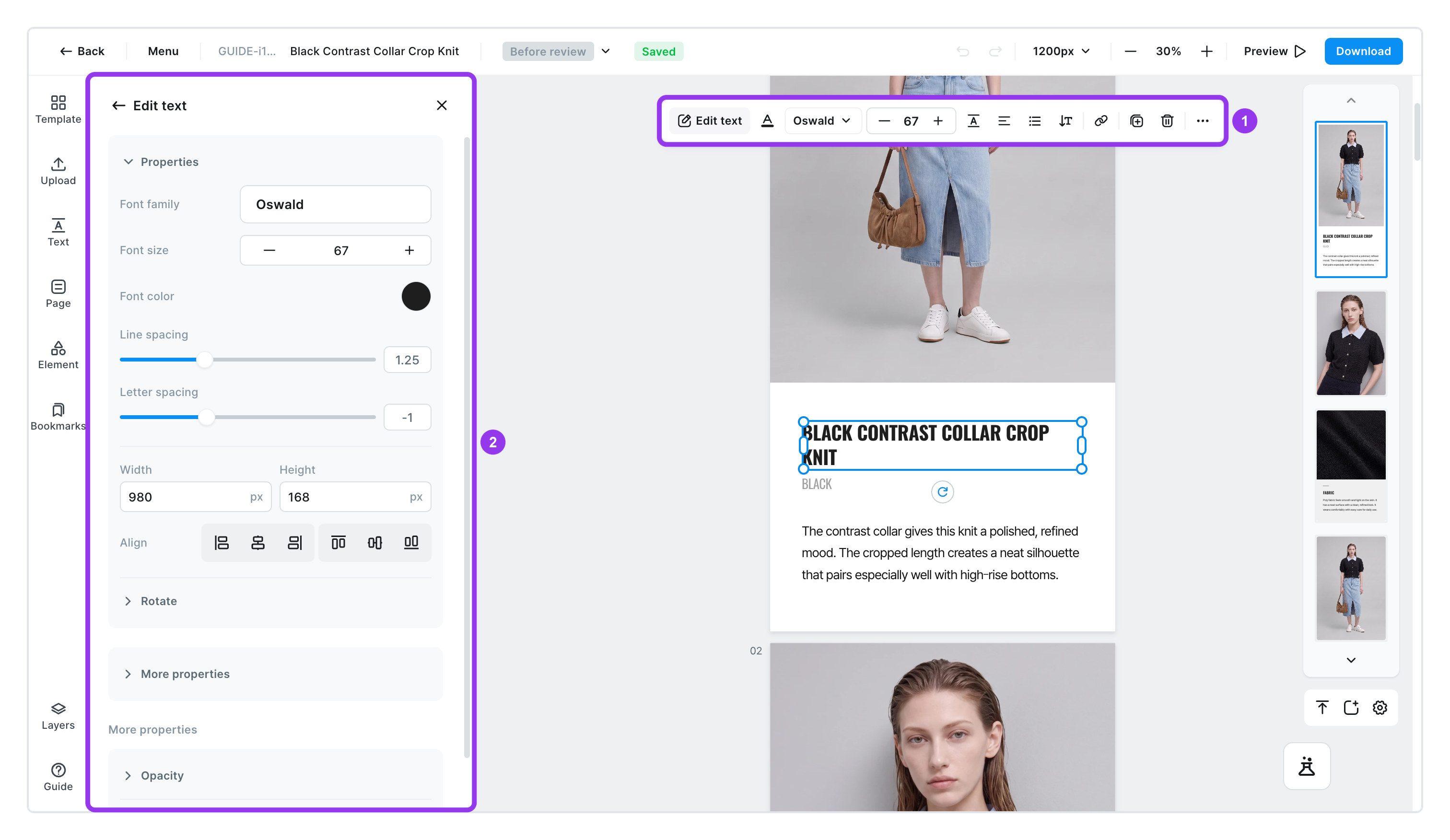
Click any text on the edit screen and you can edit it right away. A small menu appears above the text and a detailed settings panel opens on the left. Use the menu above for the common tweaks and the left panel for the fine details.
| Item | What it does |
|---|---|
Font | Pick from the list or search by name. Filter by Korean · English · Japanese · Traditional Chinese. If you select several texts with different fonts, it shows Multiple fonts |
Size · Line height · Letter spacing | Tighten line height when a paragraph looks cramped, or letter spacing when a big headline looks loose |
Align | Left · center · right · justified |
Style | Bold · italic · underline · strikethrough · highlight |
Letter case | Turn English copy into all caps, all lowercase, or capitalize each word at once |
To tidy up several lines
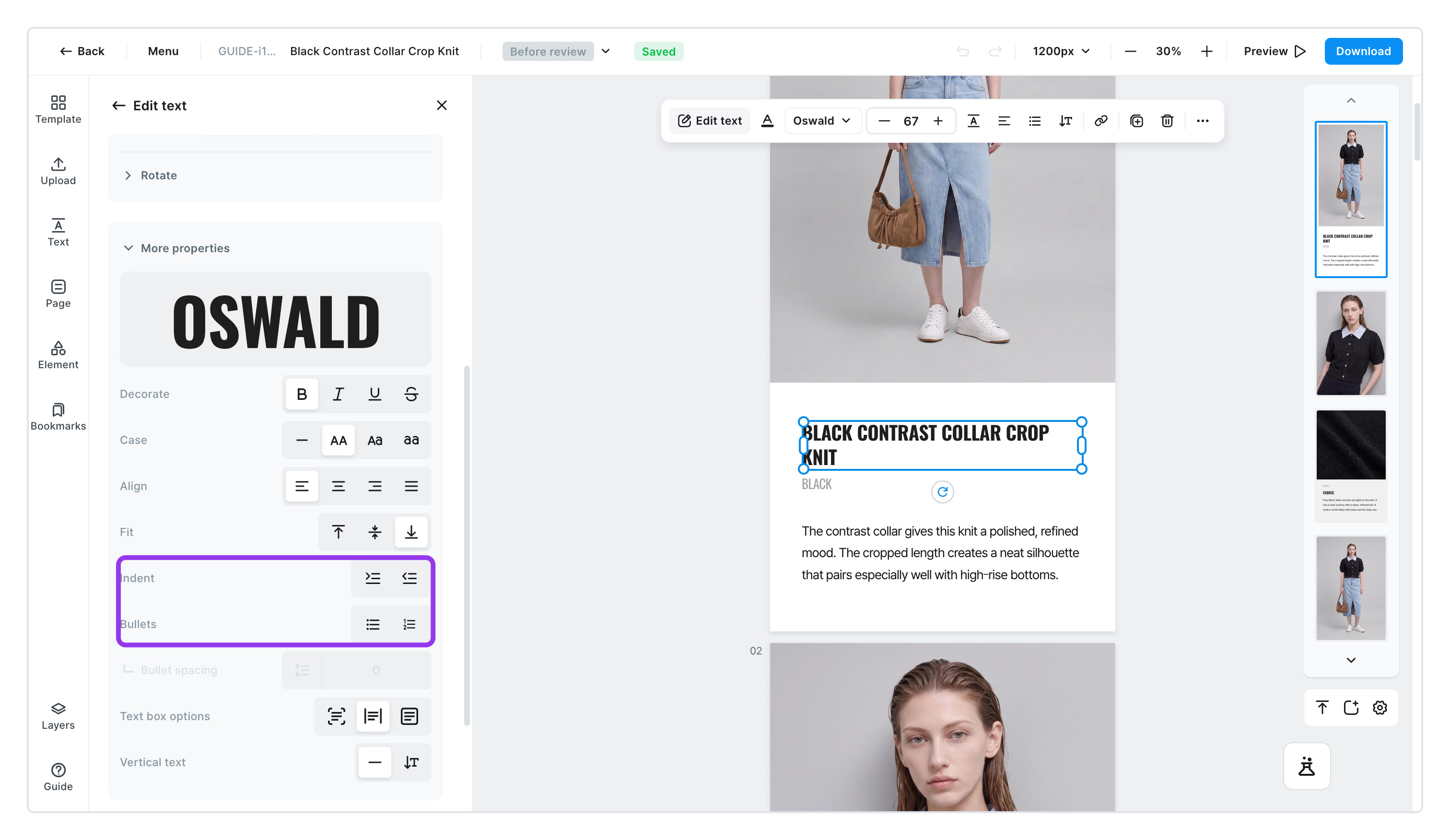
For things like fabric details or washing instructions, several lines read much better as a list. Turn on Bullets (dots) or Numbering. Use Indent to push a line in one level, and Outdent to bring it back out.
Text box and writing direction
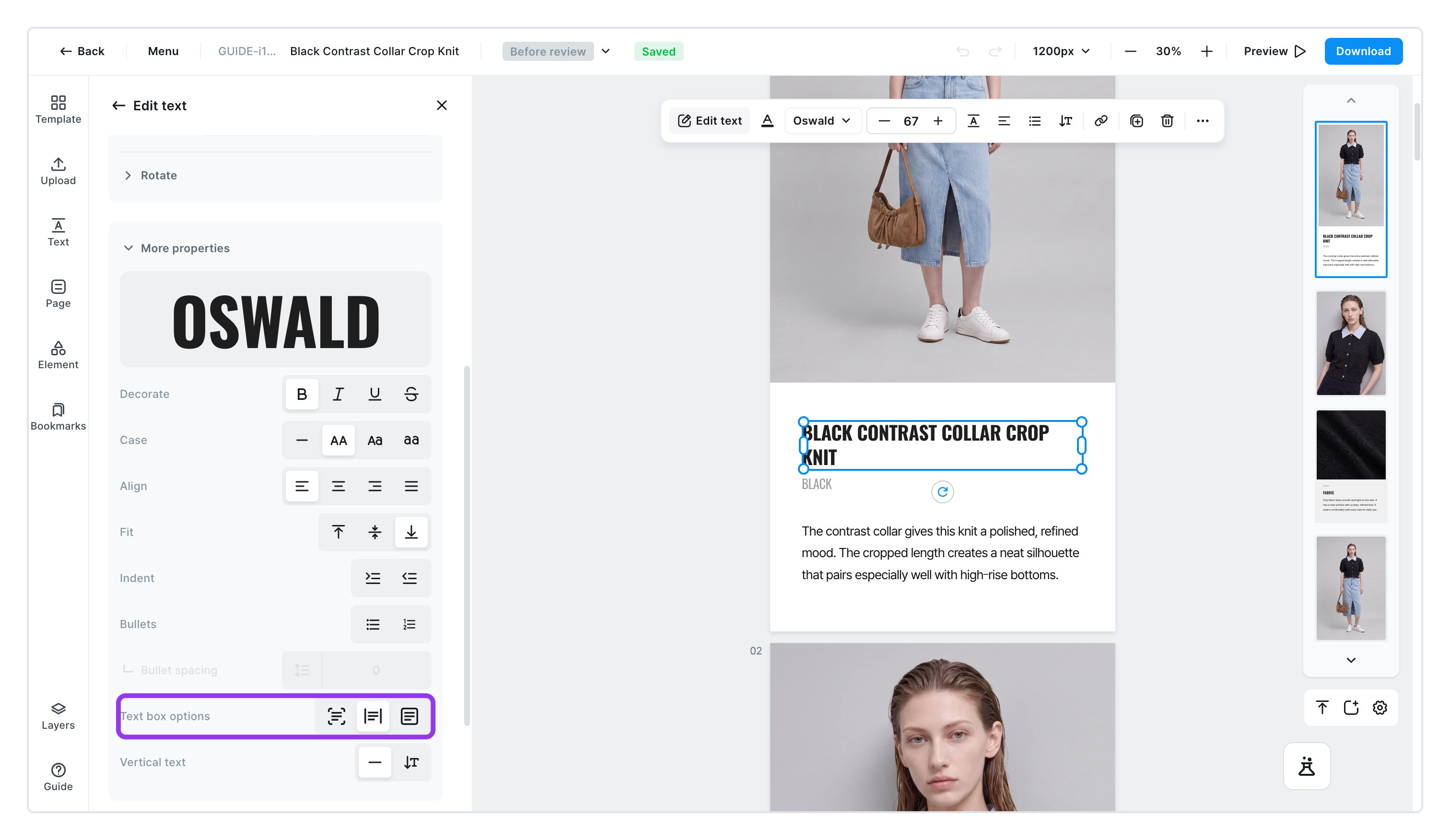
Text you add sits inside an invisible box. You can decide how that box grows.
Auto widthㅣ the box stretches sideways as the text gets longer.Auto heightㅣ the box stretches downward as lines are added.Fixed boxㅣ the box stays the same size. Use it to fit text into an exact spot.
Vertical writing
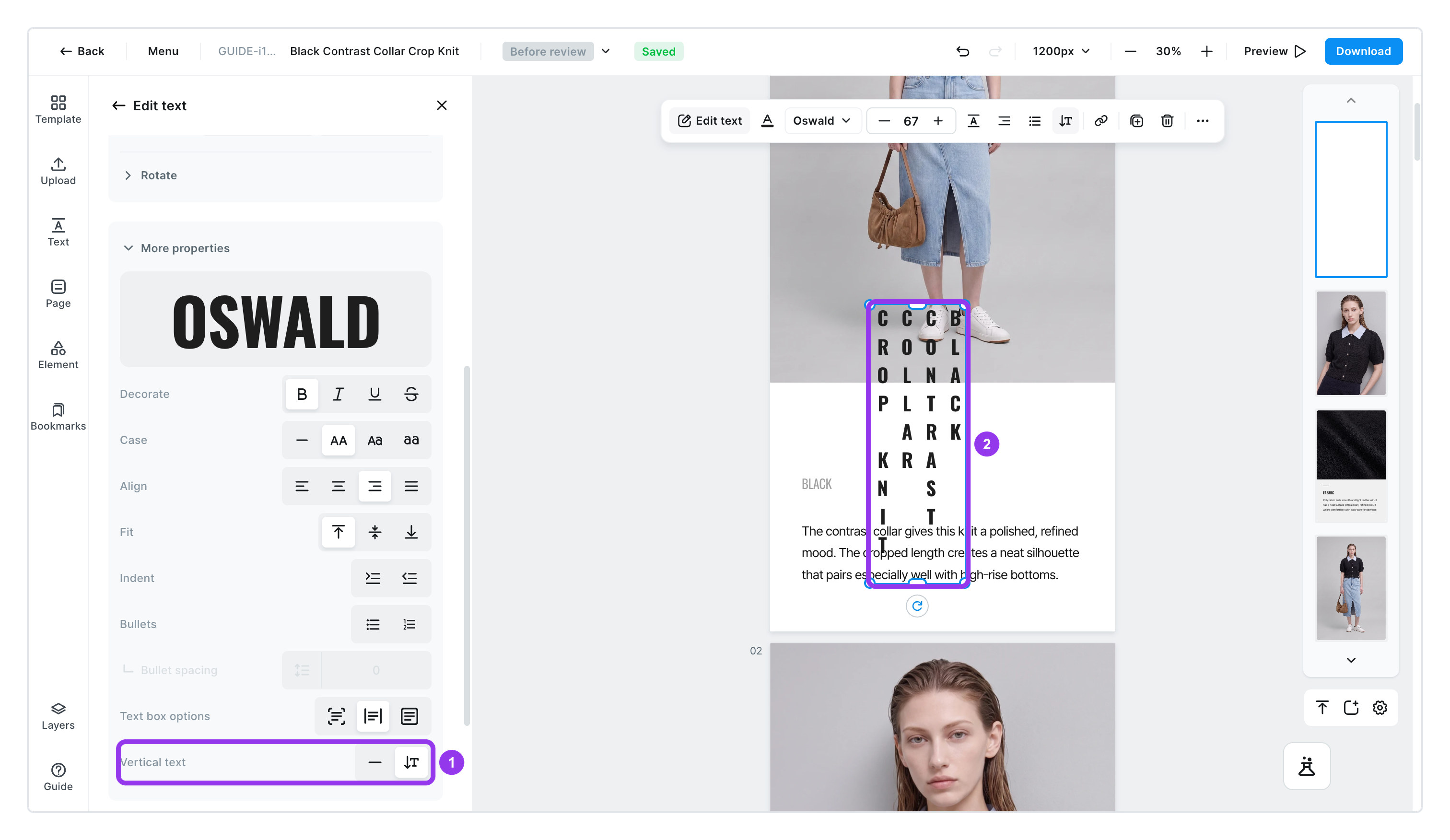
Switch to Vertical text in the left panel and the text flows from top to bottom. Use it for Japanese product detail pages or tall, narrow copy. It comes out the same in the downloaded file too.
To get new copy from AI
- Click the text you want to change
- [AI Copywriting] appears next to it.
- Describe how you'd like it changed
- Write in the box that says
Describe what you'd like to revise or add.and it writes new copy for you. - The more specific you are about your product's features, the more usable the copy. "Emphasize the cozy, soft feel" works better than "make it softer."
- Write in the box that says
- Not quite right? Click [Regenerate]
- You get different copy each time you click. Try a few and pick your favorite.
To give several pieces of text the same font at once, hold Shift, click each one to select them together, then use the Text section in the left panel. See Arrange and position for the details.