Credit top-up & payment
A guide to topping up and managing the credits used to generate GENCY detail pages, and the plan policies. It covers refund and policy details: 1 detail page = 100 credits, a 1-year validity, up to 100,000 KRW per top-up, and withdrawal if unused within 7 days of payment.
Credits are what you use to generate detail pages in GENCY. The structure is simple: generating 1 detail page = 100 credits consumed.
This page explains how to check and top up your credits, along with the differences between plans.
Checking Your Credit Balance
You can check your current credit balance directly in the Credits area at the top of the left sidebar. If you need more detailed information, click Payment / Management.
Reviewing Credit Policies
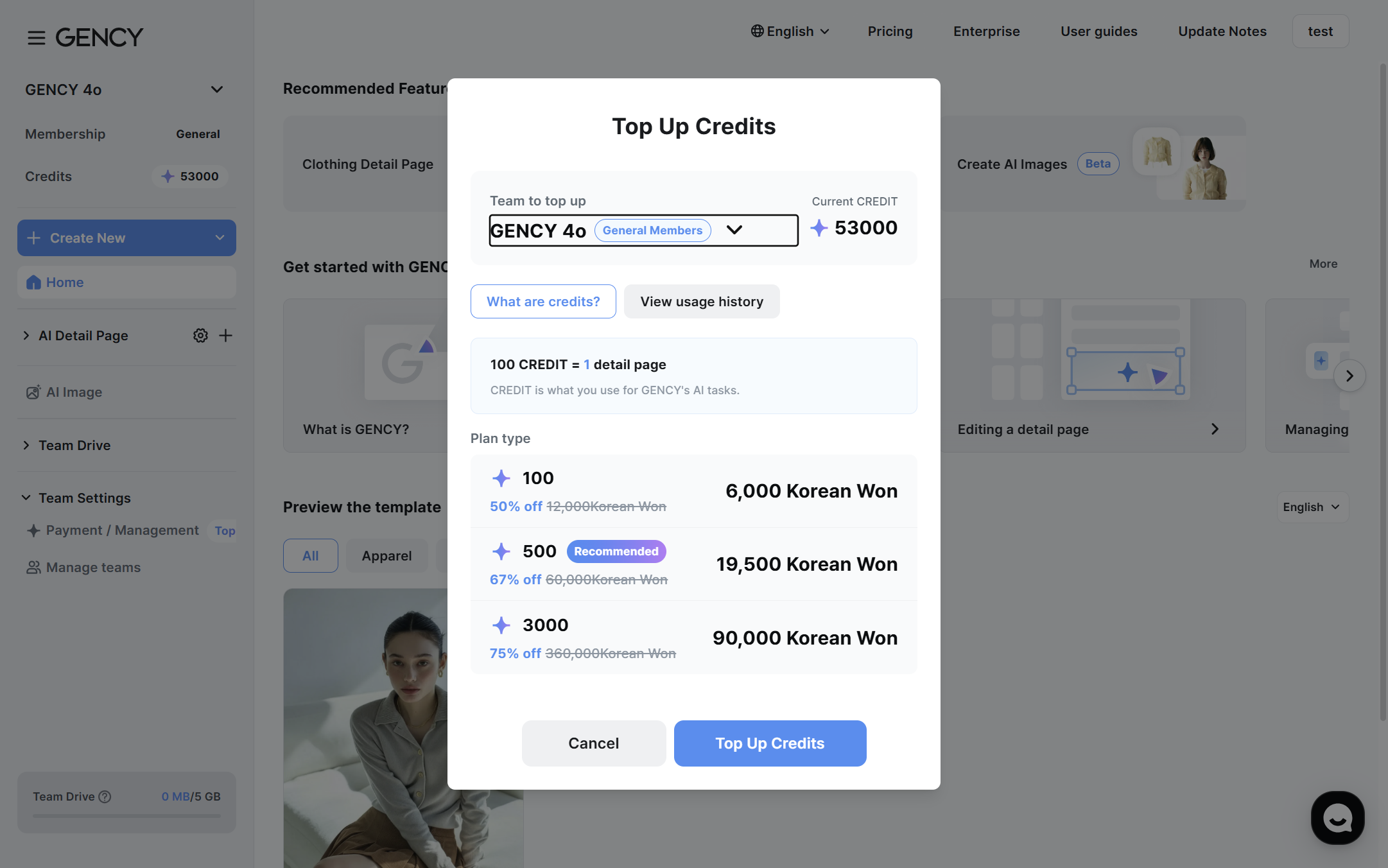
On the Payment / Management screen, select the "What are credits?" tab to review your current plan and credit-related policies.
Key Policies
- Topped-up credits are valid for 1 year from the top-up date.
- The maximum amount for a single top-up is KRW 100,000.
- Credits are used first in order of nearest expiration date.
- Within 7 days of payment, if you haven't used the topped-up credits, you can withdraw your subscription.
- Refunds are issued to the original payment method.
- Once you have used any of the topped-up credits, refunds are not available.
- Email notifications are sent 30 days before and 7 days before expiration.
* VAT is charged separately.
Checking Your Usage History
On the "View usage history" tab, you can check your credit top-up and usage history.
- Top-up dates, usage dates, usage details, and more are displayed.
- You can trace which detail page generation each credit was used for.
If your credit balance runs low, you won't be able to generate detail pages. Keep a comfortable balance topped up.
Comparing Plans
GENCY offers various plans. You can check your current plan and details on the plans page.
Standard (BASE) vs. Enterprise (ENTERPRISE) Feature Differences
| Feature | Standard (BASE) | Enterprise (ENTERPRISE) |
|---|---|---|
| Detail page generation | O | O |
| Apparel category | O | O |
| Jewelry category | O | O |
| Apparel — Product features | O | O |
| Apparel — Care instructions | O | O |
| Apparel — Size chart | O | O |
| Apparel — Product info (country of manufacture, manufacturing date) | X | O |
| Apparel — Certification number (KC certification, etc.) | X | O |
| Jewelry additional information (all tabs) | O | O |
| Full Editor features | O | O |
| Team management | O | O |
| Team Drive capacity | 5GB | 100GB |
The Enterprise-exclusive Product info and Certification number features are provided in the additional information tabs of the Apparel category.
The Jewelry category gives you access to all additional information tabs regardless of plan.
The Enterprise plan is available through a separate inquiry.
Click Enterprise in the top menu to inquire.