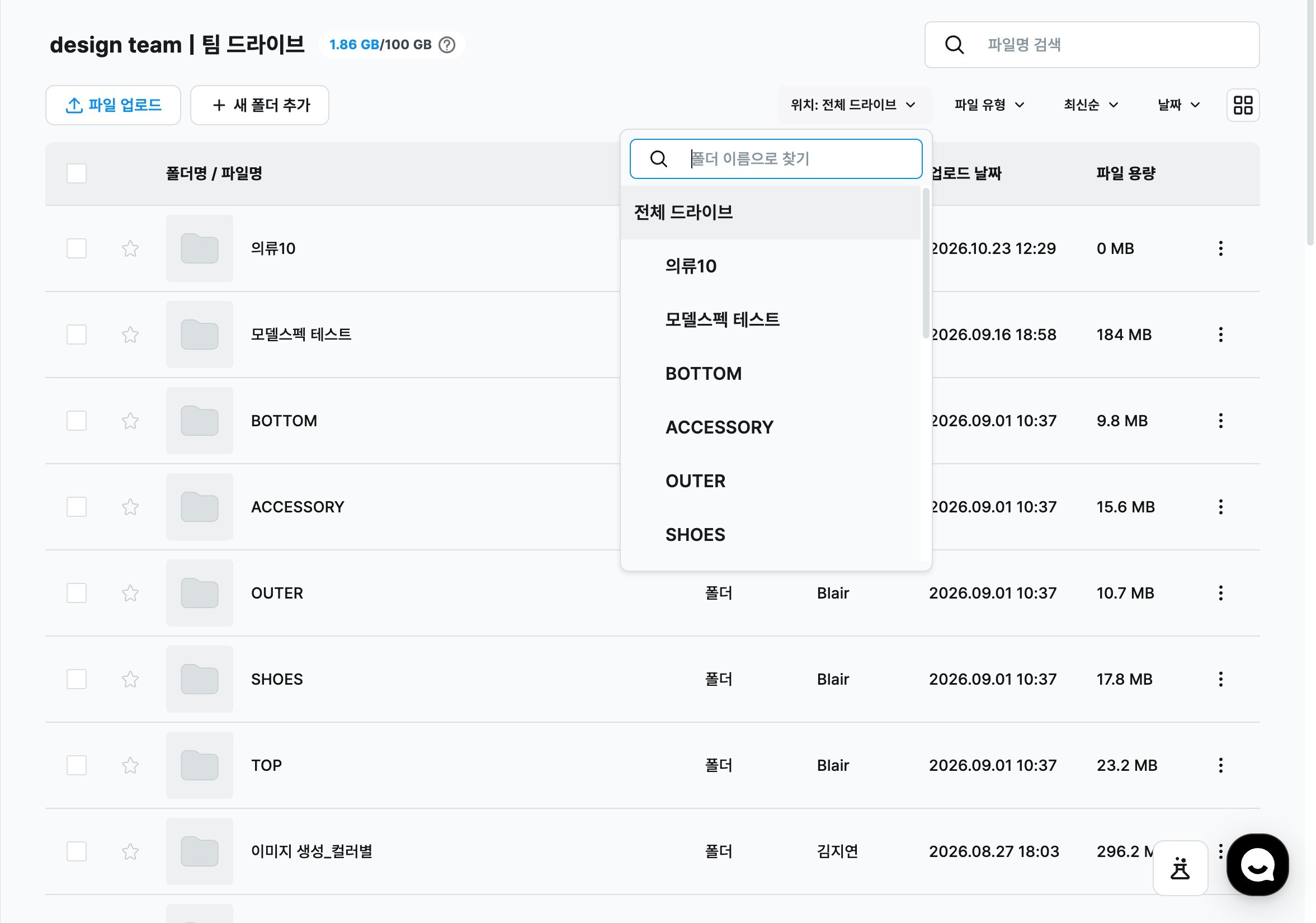
10.23 ㅣ Folder-scoped search in Team DriveAll users
Folder-scoped search in Team Drive
In Team Drive, you can choose a folder first and then search when the same file names are spread across several folders.
At a glance
Hover over the boxes or numbers to see the explanation.
1LocationChoose the folder to search in. Choosing a location alone does not change the list. Team Drive search
2Find by folder nameType a folder name to narrow the list quickly. Team Drive search
3All driveChoose the top item to search the whole drive. Team Drive search
New1
Folder-scoped search in Team DriveChoose a location in the search bar, then search to look only inside that folder. Even when files with the same product code are spread across folders, you can see only the results from the folder you want.
Click Location in the Team Drive search bar to open the folder list. Choose a folder, type a search term, and press Enter. Results come only from that folder and the folders inside it.
Type a folder name in Find by folder name to narrow the list quickly.